SP StallPass Find bathrooms. Manage listings.

Find bathrooms and manage listings

Helping people find bathrooms. Helping businesses keep listings up to date.

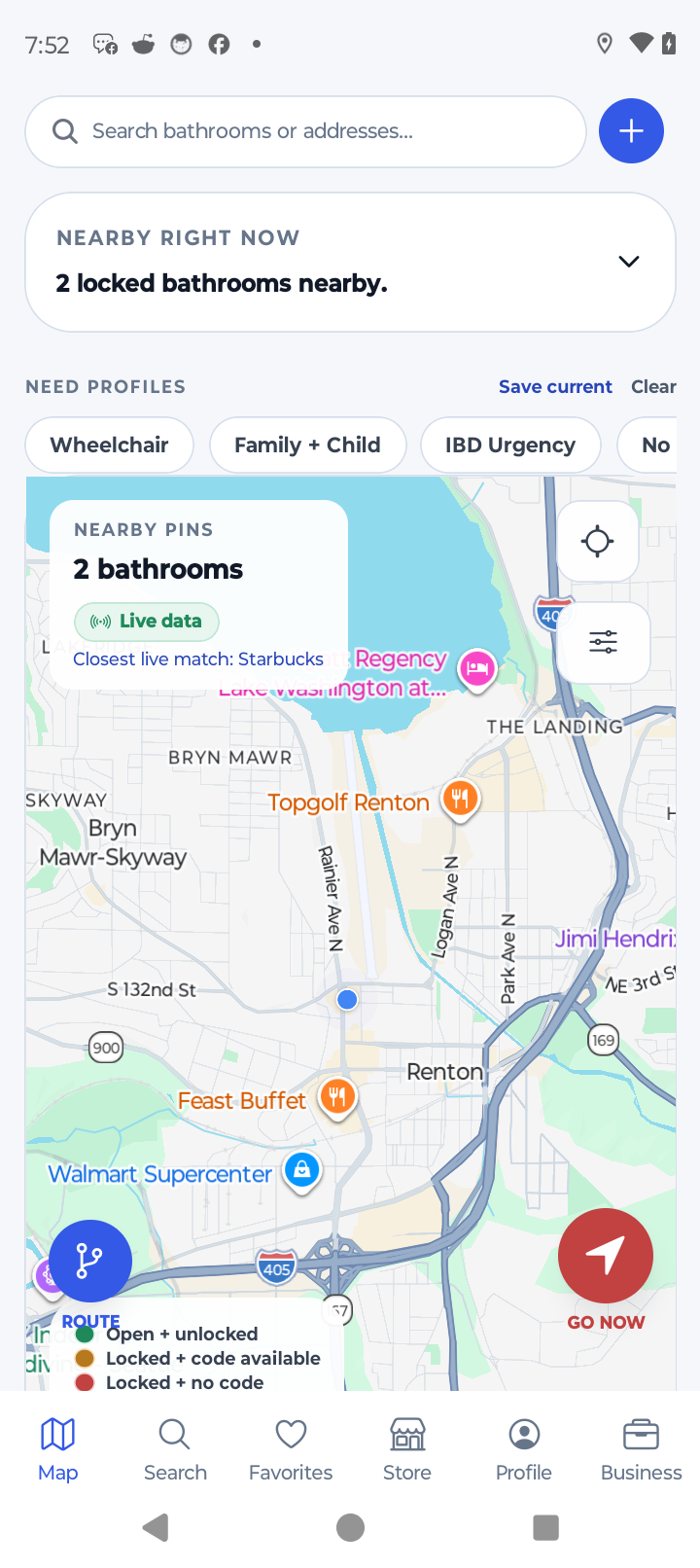
StallPass helps people find trusted bathrooms nearby. It also gives businesses a simple web dashboard to update hours, amenities, support links, and listing details.

People can browse bathrooms in the app
Account deletion is available in the app
Privacy, terms, and support pages are live online
Business Console Web

One simple place to manage your claimed locations.

  • See what needs to be updated across your listings.
  • Keep support, privacy, and terms links in one place.
  • Adjust the dashboard so it works better for your team.
Public Surfaces Privacy policy

A live public page for app store review and customer questions.

Operations Business dashboard

A browser dashboard for listings, notes, links, and day-to-day tasks.

Support Public help center

One place for customer help, business questions, and account support.

How StallPass works

One app helps people find bathrooms, and one dashboard helps businesses manage their listings.

The StallPass app helps people find nearby restrooms, save favorites, report issues, and keep using the app even when service is weak. The website keeps support, privacy, and terms pages live for customers, businesses, and app stores.

01

Find a restroom

People can search nearby bathrooms, filter results, view details, save favorites, report problems, and get directions.

02

Manage your business listing

Businesses can claim listings, update hours, confirm details, and manage promotions from a browser dashboard.

03

Keep things store-ready

Important pages like privacy, terms, and support stay live on the web so customers and app stores can always find them.

Business console

A real business dashboard, not just another marketing page.

The business dashboard lets owners save settings, turn widgets on or off, keep notes, update support links, and track listing progress in one place.

Real progress Progress is based on what you have actually finished.

The dashboard shows what is done and what still needs attention.

Saved settings Your layout, notes, and links stay saved in the browser.

Business users can come back and keep working without setting everything up again.